
What StreamXLS is.
One DLL, one COM registration, one demo workbook illustrating every feature so you can start without reading documentation. No Excel ribbon, no add-in; StreamXLS doesn’t run until you ask for it via Excel-native =RTD() formulas. The engine runs on your machine against your own TWS API installation.
On the sheet
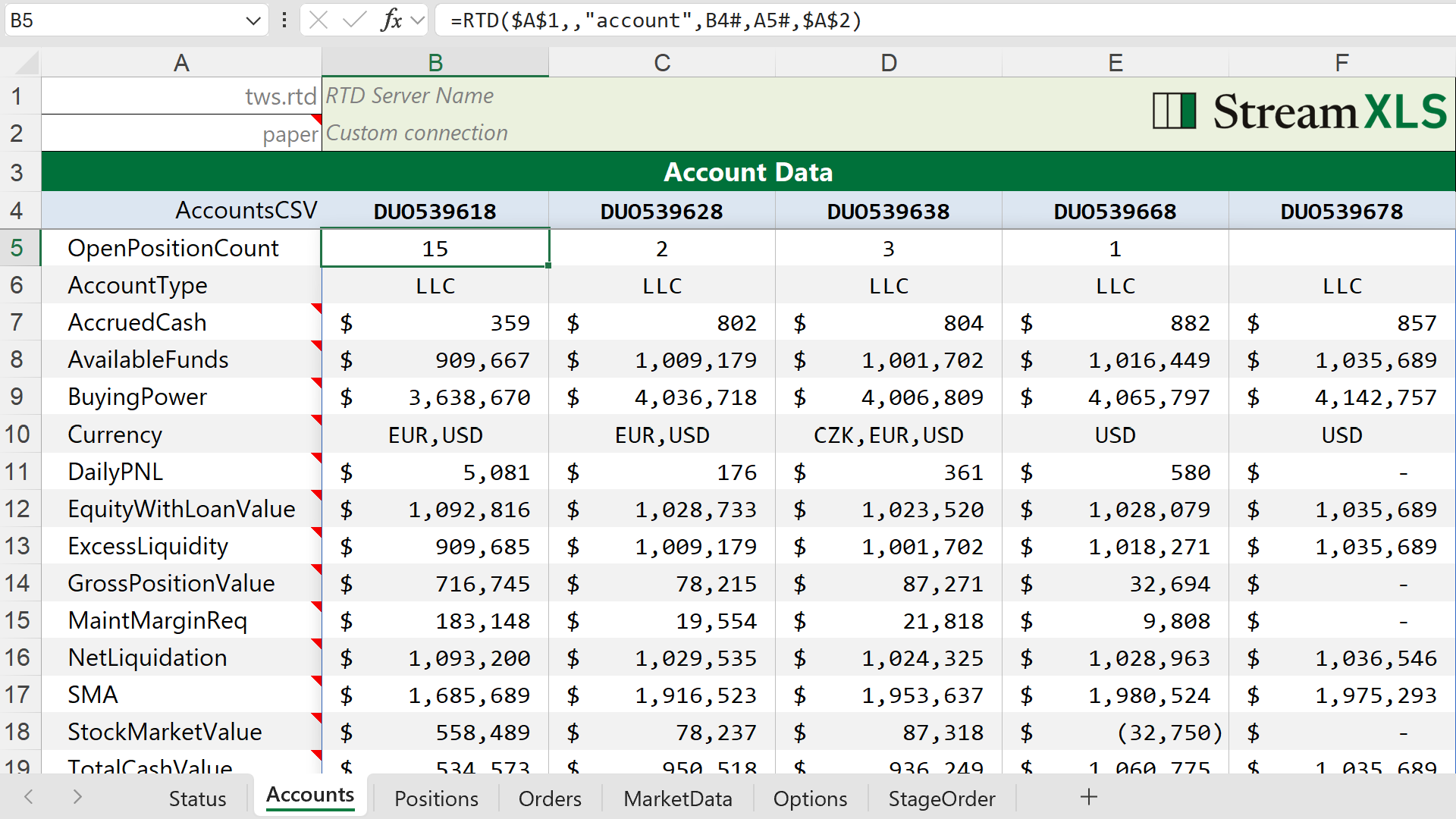
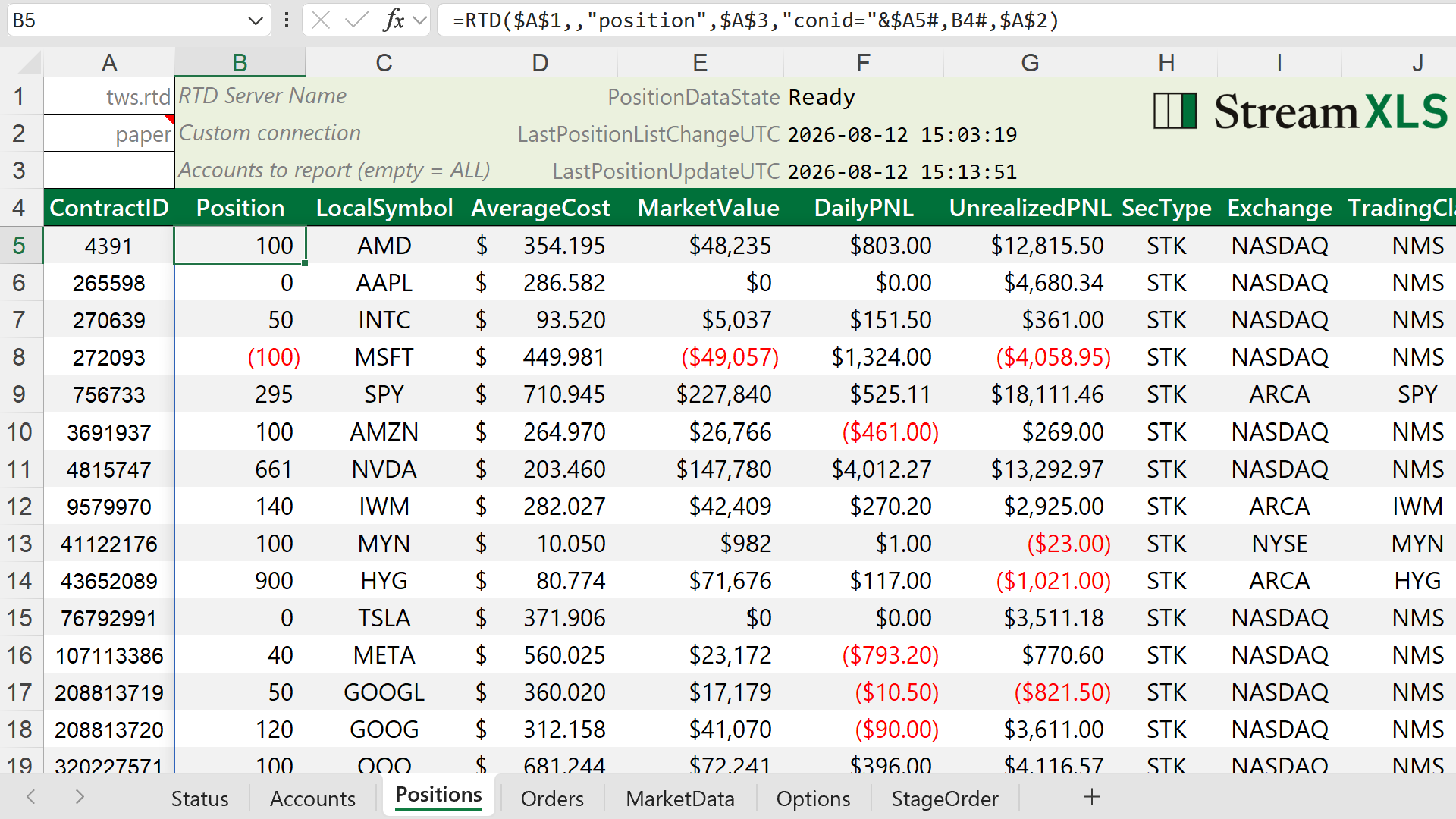
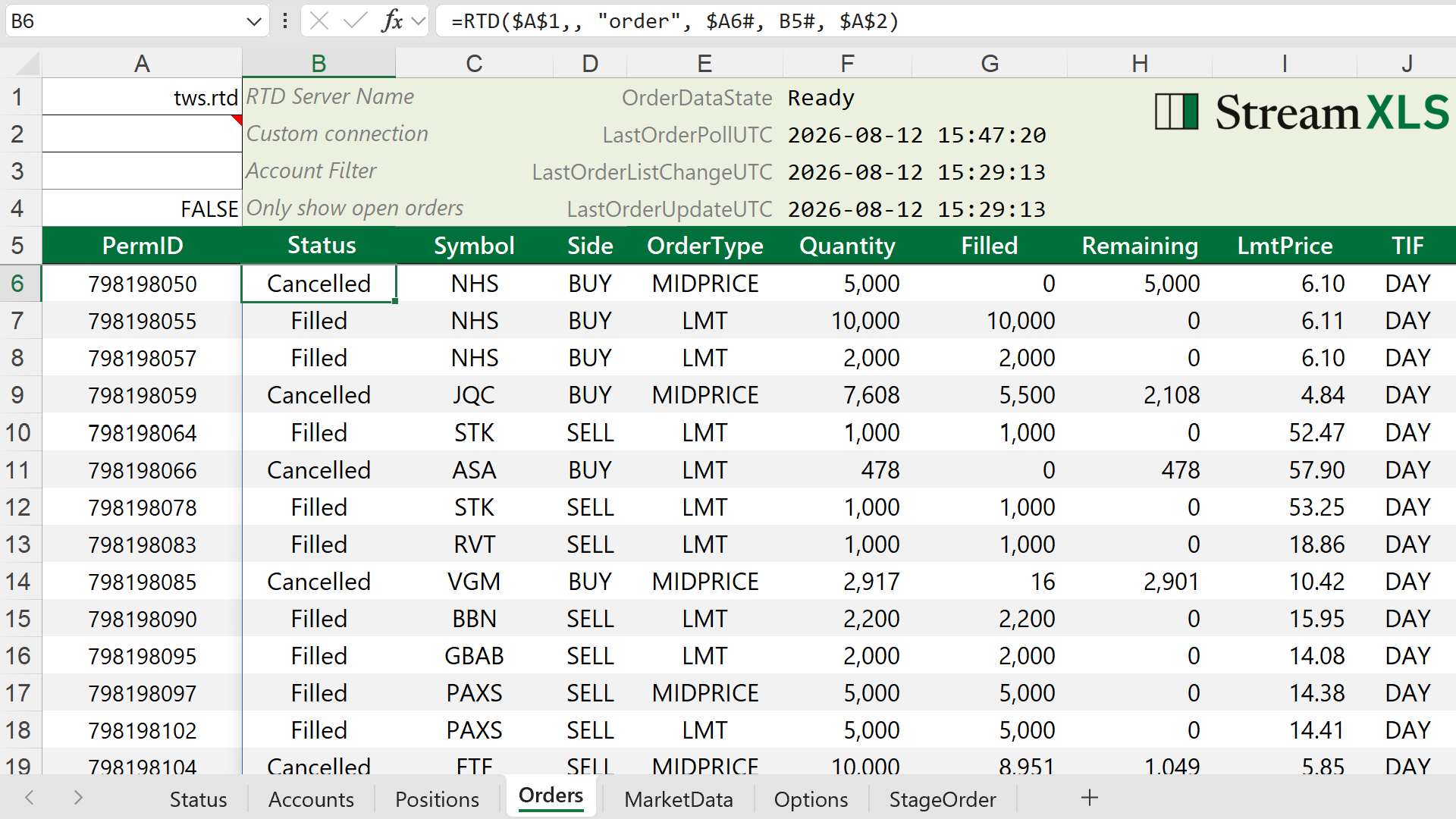
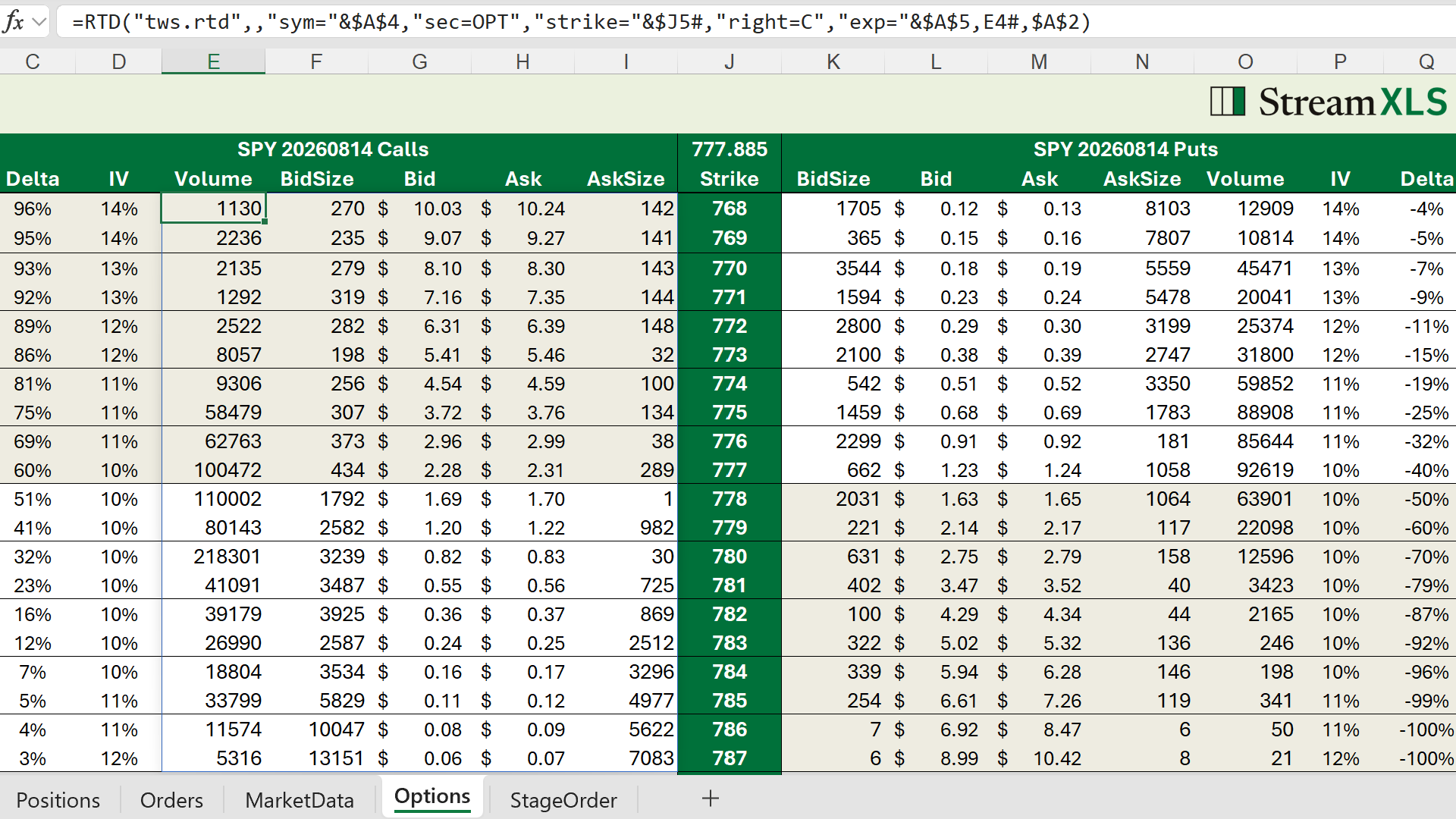
Screenshots of StreamXLS in action. Click any image to enlarge it.
Fail loud
When the trader looks at a cell, they have to be able to trust it. A blank cell is honest — it says the system doesn’t know. A cell that shows data that has quietly gone stale is a trade error waiting to happen. So the engine is built to fail loud: a contract repeated throughout the code is that stale data is worse than no data. On a dropped connection, realtime prices are designed to read #N/A rather than holding a last good value — so that a stale price surfaces as a visible gap rather than a silently frozen number.
Holding to that design principle — across broken connections and the undocumented quirks on both sides of the bridge — is the part of production engineering that real money makes non-negotiable.
That principle, and the war stories behind it, are the subject of the writing →
From demonstration to production-grade
Interactive Brokers ships an Excel RTD server with the TWS API, together with a sample workbook. Per IBKR’s documentation, the Excel samples are “intended as simple demonstrations of API functionality… not intended to be used as production level trading tools.” The server streams top-of-book quotes, with callbacks for account values, positions, and orders left as empty stubs.
Closing the gap means implementing the API to subscribe and receive all market-data fields, account values, positions, and orders; supporting multiple accounts; implementing COM-compliant multithreading so the stream survives even when Excel’s UI is busy or blocked; hardening against TWS exceptions — detecting silent disconnects and rate limits, reconnecting and resubscribing automatically; late-seeding and deduplicating between RTD topics and TWS subscriptions; and letting multiple Excel instances run RTD streams against the same TWS. That’s the work StreamXLS does — at first for my own desk, now for anyone with the same needs.
The full case for why a spreadsheet is the right host is its own essay. Read it →
Technical features
#N/A rather than show a stale value.
=RTD() calls referencing the same API topic are deduplicated by StreamXLS, minimizing the demand on TWS.
StageOrder topic populates a TWS order ticket. It’s the one topic that acts outbound — every other formula only reads TWS. (Staged orders do not transmit to the market until a trader clicks Submit in TWS.)
=RTD() formulas.
=RTD() formulas just work — no add-in, nothing new to learn. Excel only loads StreamXLS when you request it. The engine streams data with your own TWS API installation.
See every formula in the Reference → · the demo workbook · the documentation